





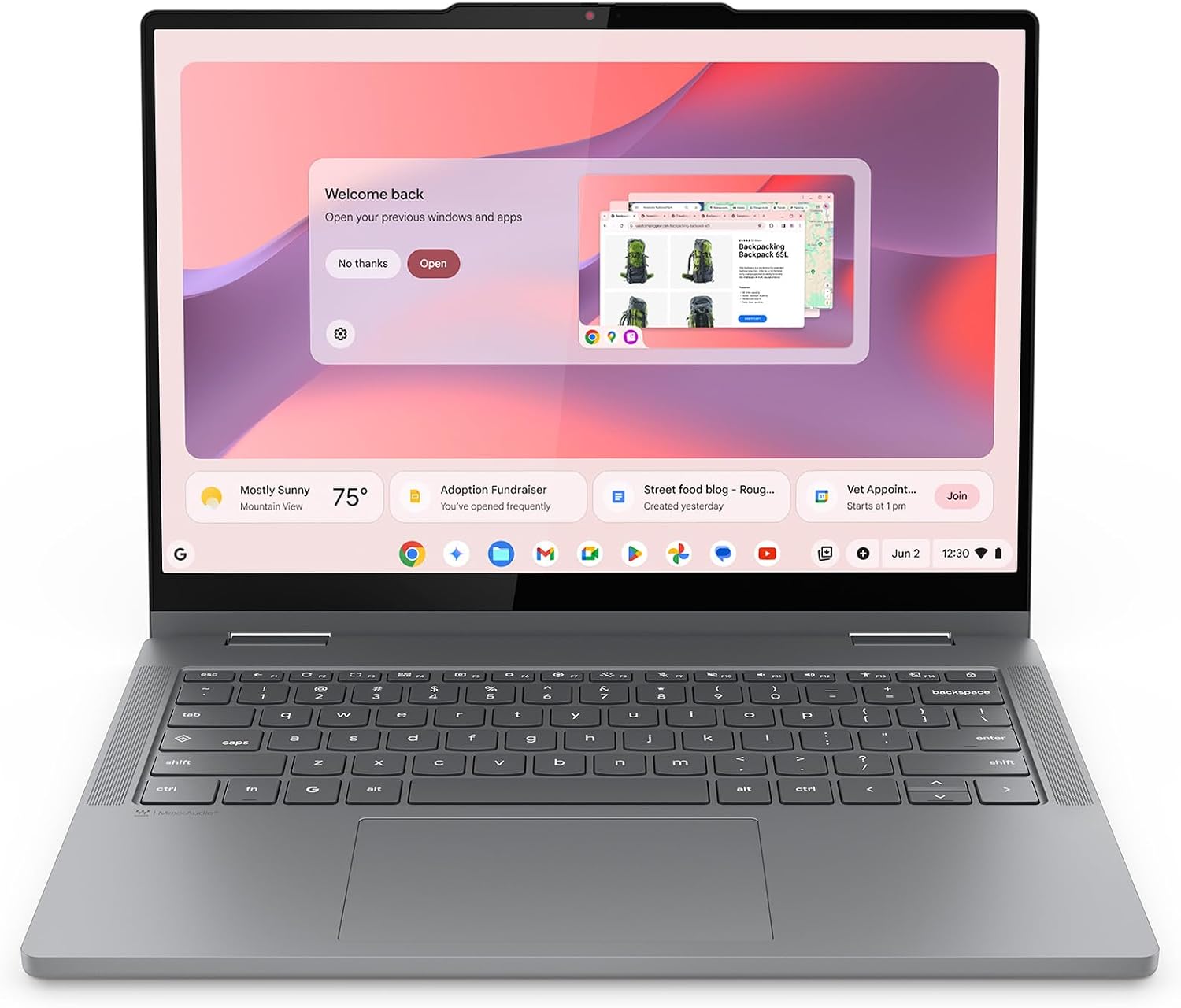
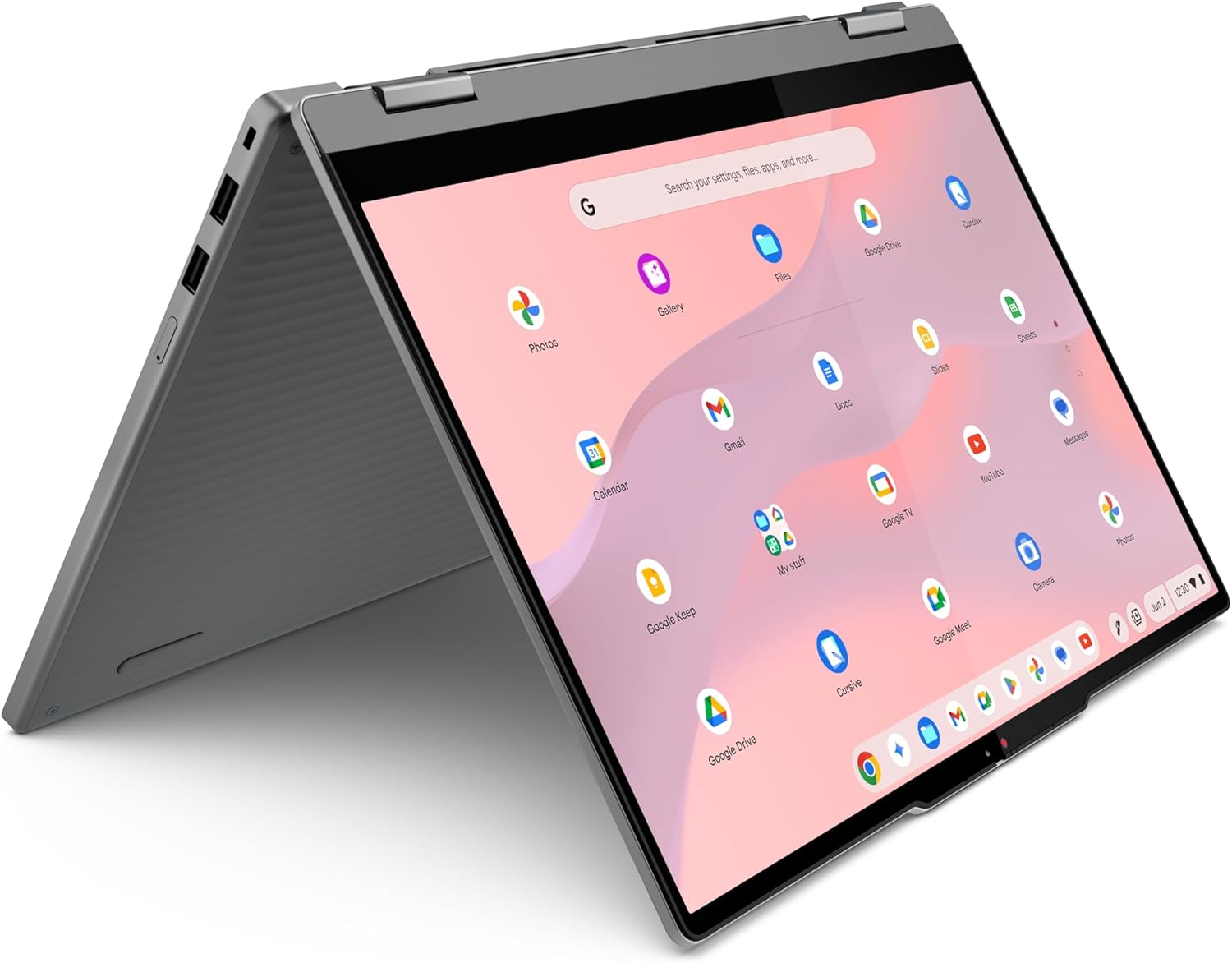


Finding the perfect Chromebook for students can be challenging, especially when balancing affordability, portability, and performance. The Lenovo Chromebook 2-in-1 offers an excellent combination of modern hardware, AI-powered productivity, and flexible design that makes it ideal for students, teachers, and everyday users.
Powered by the Intel N150 processor, a responsive 14-inch WUXGA touchscreen, and built-in Google Gemini AI, this Chromebook is designed to handle school assignments, online learning, research, note-taking, streaming, and everyday multitasking with ease.
Whether you’re in high school, college, or university, this Lenovo Chromebook delivers excellent value without the premium price tag.
Why This Chromebook for Students Stands Out
Students today need more than just a basic laptop. They need a device that can keep up with classes, video meetings, cloud-based apps, and creative projects.
The Lenovo Chromebook 2-in-1 offers:
- Intel® N150 Processor
- Chrome OS with automatic updates
- Built-in Google Gemini AI
- 14-inch WUXGA IPS Touchscreen
- 360° Convertible Design
- Stylus Support
- Fingerprint Reader
- Military-grade durability
- Fast boot in under 10 seconds
- Long battery life
- Lightweight (3.3 lbs)
- 128GB UFS Storage
These features make it one of the most practical choices for education.
Key Specifications
| Feature | Details |
|---|---|
| Brand | Lenovo |
| Model | Chromebook 2-in-1 |
| Display | 14″ WUXGA IPS Touchscreen |
| Resolution | 1920 × 1200 |
| Processor | Intel N150 |
| RAM | 4GB |
| Storage | 128GB UFS |
| Graphics | Intel Integrated Graphics |
| Operating System | Chrome OS |
| Weight | 3.3 lbs |
| Color | Luna Grey |
Design and Build Quality
One of the first things you’ll notice about this Chromebook for students is its premium design despite the affordable price.
At just 0.69 inches thin, it’s lightweight enough to carry in a backpack all day. Lenovo also includes MIL-STD durability, helping it withstand everyday bumps, accidental drops, and frequent travel between classes. The Luna Grey finish gives this Chromebook for students a sleek, modern look suitable for both students and professionals.
360° Convertible Flexibility
The versatile 2-in-1 hinge lets you switch between:
- Laptop Mode
- Tablet Mode
- Tent Mode
- Presentation Mode
This flexible design makes the Chromebook for students perfect for digital note-taking, reading eBooks, attending online lectures, and delivering presentations.
Display Quality
The Lenovo Chromebook 2-in-1 features a 14-inch WUXGA IPS touchscreen that delivers sharp visuals and vibrant colors, making it an ideal Chromebook for students.
Compared to traditional Full HD displays, WUXGA offers:
- More vertical screen space
- Sharper text
- Better productivity
- Improved multitasking
Colors appear vibrant, while IPS technology provides wide viewing angles, making it comfortable for studying or streaming videos.
Stylus support also makes handwriting and sketching much easier.
Performance for Students
The Lenovo Chromebook 2-in-1 is an excellent Chromebook for students, powered by the efficient Intel® N150 processor for smooth everyday performance.
Ideal For
- Google Docs
- Google Sheets
- Google Slides
- Zoom
- Microsoft 365 Online
- Canva
- YouTube
- Web browsing
- Research
- Classroom management
Chrome OS remains one of the fastest operating systems available thanks to its lightweight architecture.
Boot time is under 10 seconds, helping students get started quickly.
Google Gemini AI Makes Learning Smarter
One of the biggest upgrades of this Chromebook for students is the built-in Google Gemini AI.
What Students Can Do
Gemini helps users:
- Brainstorm essays
- Summarize notes
- Generate study guides
- Improve writing
- Translate languages
- Solve homework questions
- Organize schedules
- Plan projects
Having AI integrated directly into Chrome OS gives this Chromebook for students a powerful productivity boost, making learning faster and more efficient for modern students.
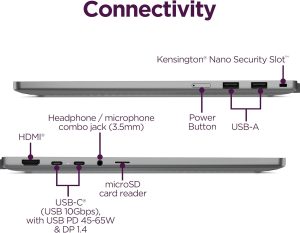
Battery Life and Connectivity
Security Features
Lenovo includes several privacy-focused features.
Fingerprint Reader
Quick and secure login without passwords.
Physical Webcam Privacy Shutter
Students can instantly cover the camera when not attending online classes or meetings.
Chrome OS also includes:
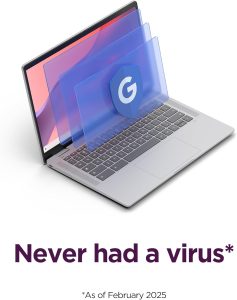
- Automatic security updates
- Built-in virus protection
- Sandboxed applications
- Verified Boot
These features provide peace of mind for parents and students alike.
Pros and Cons
Pros
- Lightweight and portable
- Beautiful WUXGA touchscreen
- Fast Chrome OS experience
- Google Gemini AI built in
- Excellent battery life
- Military-grade durability
- Fingerprint reader
- Stylus support
- Quiet fanless-style operation
- Multiple connectivity ports
Cons
- 4GB RAM may limit heavy multitasking
- Not designed for advanced video editing
- Chrome OS depends heavily on web-based apps
- Casual gaming only
Final Verdict
If you’re searching for the best Chromebook for students, the Lenovo Chromebook 2-in-1 deserves serious consideration.
It combines portability, durability, AI-powered productivity, a premium touchscreen, and dependable everyday performance into one affordable package. While power users who need demanding software may want a Windows laptop with more RAM, students who rely on web apps, cloud storage, and Google Workspace will find this Chromebook an excellent companion.
For school, college, remote learning, and everyday productivity, it offers exceptional value and is well-positioned as one of the top student Chromebooks for 2026.
Frequently Asked Questions (FAQ)
1. Is the Lenovo Chromebook for students 2-in-1 good for students?
Yes. It is designed for education with a lightweight build, long battery life, touchscreen, Chrome OS, Google Gemini AI, and fast performance for schoolwork.
2. Can this Chromebook run Microsoft Office?
Yes. It supports Microsoft 365 Online, Microsoft Office web apps, and Android Office applications through the Google Play Store.
3. Is 4GB RAM enough for students?
For everyday tasks like browsing, online classes, Google Docs, email, and streaming, 4GB RAM is generally sufficient. Heavy multitasking or professional content creation may benefit from more memory.
4. Does the Lenovo Chromebook 2-in-1 support a stylus?
Yes. It supports compatible USI styluses, making it useful for note-taking, drawing, and annotating documents.
5. Is this Chromebook suitable for college students?
Absolutely. Its portable design, AI-powered productivity tools, reliable security, and versatile 2-in-1 form factor make it a strong choice for college and university students.


Reviews
Clear filtersThere are no reviews yet.